






Access all areas: how to use the Recite Me toolbar


By David Young September 13, 2023

Using the Recite Me toolbar


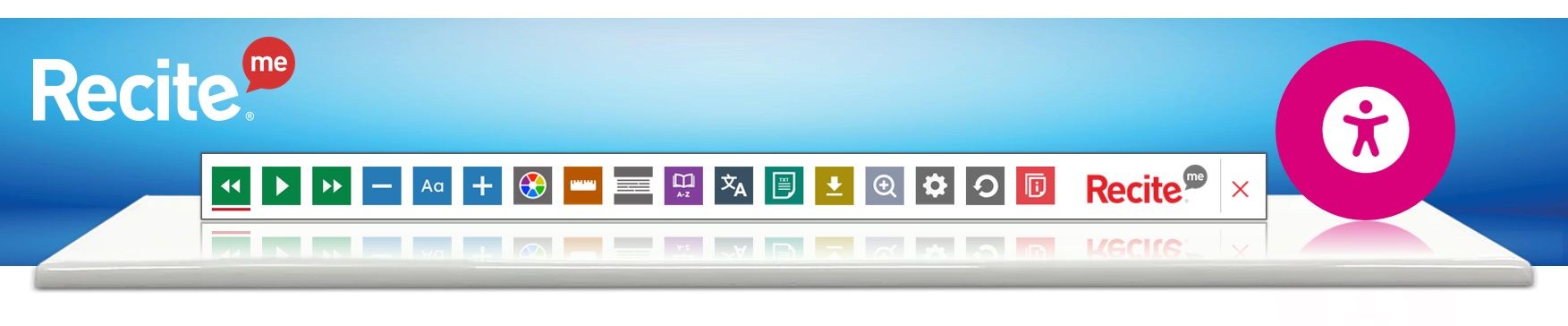
Wherever you are on the site, click the accessibility icon (normally towards the top right of the screen) and the toolbar will open, displaying a range of different options for customising how the website looks and how you can interact with the content.


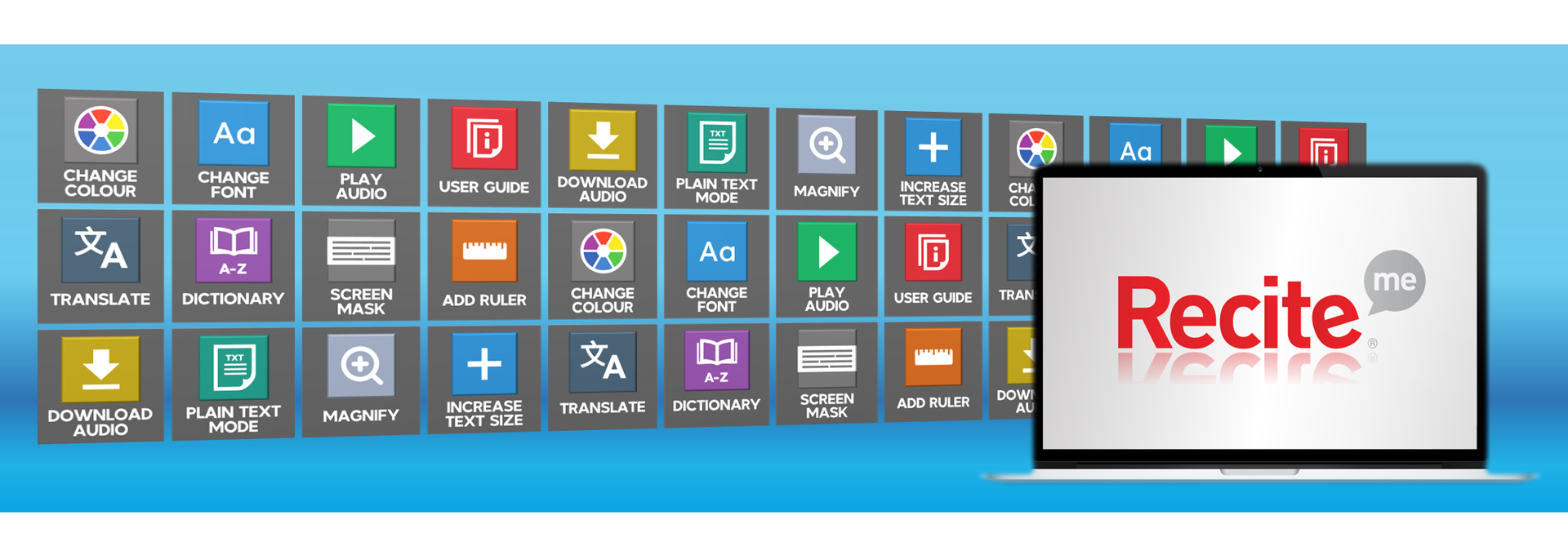
You can use it to:


● Read website text aloud (including PDFs)

● Download the text as an MP3 file to play it where and when it suits you

● Change font sizes and colours

● Customise background colours

● Add screen-reading aids like rulers, masks and custom margins

● Translate text into more than 100 different languages

● Access a fully integrated dictionary and thesaurus


​Pretty good, eh?


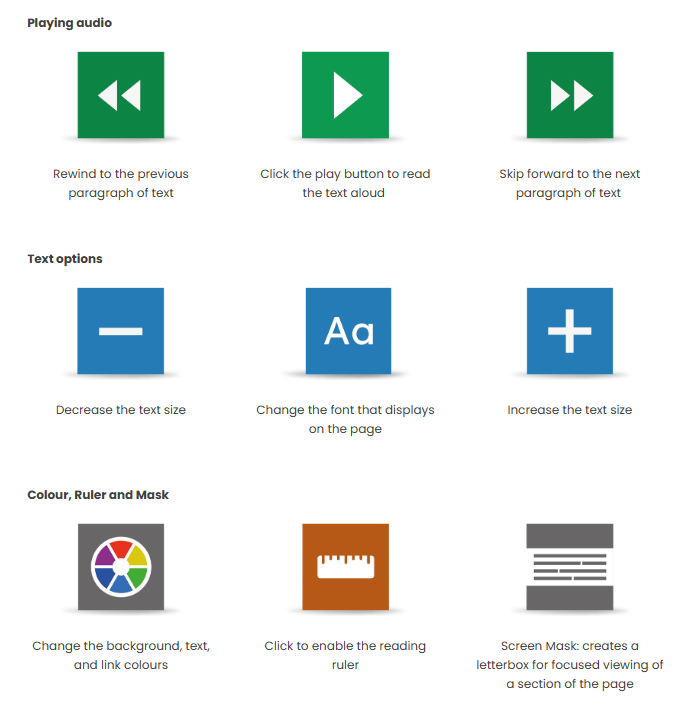
What do all those buttons do?


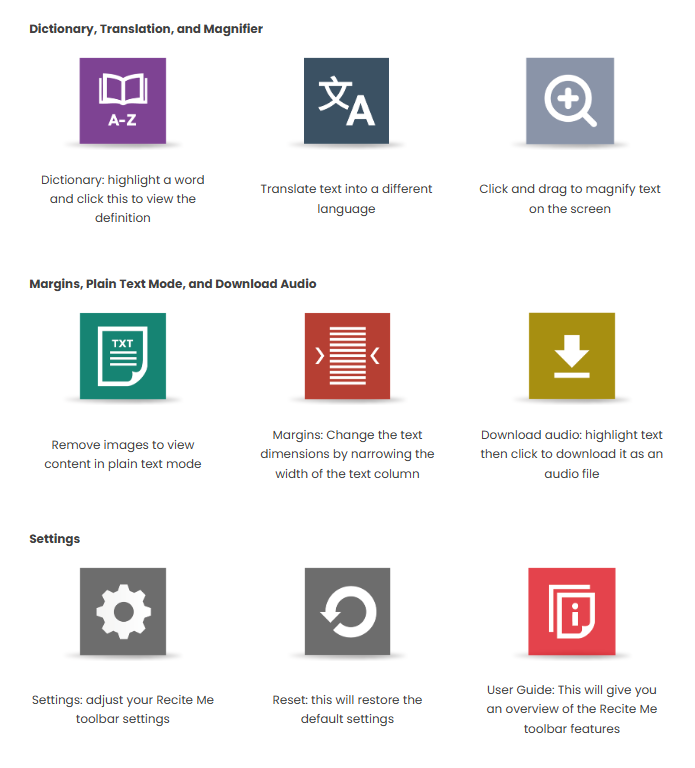
That’s an excellent question, and here to answer it is the relevant section of the official Recite Me User Guide!

​FAQs

Q. Do I need to download anything to enable Recite Me?


A. No. Recite Me is cloud-based software so there is no need to install anything on your computer.


Q. How do I launch the Recite Me toolbar?


A. To launch the Recite Me web accessibility toolbar you will need to click on the accessibility icon. This will then launch the toolbar, which will appear at the top of the page.


Q. How do I disable the auto-read?


A. To disable the auto-read you need to click on the button marked “Settings”. This will give you a list of 3 functions to choose from. You need to click on the bottom to the Right of the option marked “Autoplay” This will then disable auto-read.


Q. Does Recite Me work across different operating systems and mobile devices?


A. Yes. Our software works on multiple devices and operating systems including Android, iOS, Linux, Mac, and Windows devices.


Q. Can I save my settings?


A. The Recite Me toolbar uses cookies to save user settings.


Q. How do I change the language?


A. To change the language of the website that you are viewing you need to select the button marked “Languages”. This will then produce a drop-down list of all the languages that Recite offers. Find the language that you want from the list and press on it, the site will then be converted to that language.


Q. How do I create an MP3?


A. To create an MP3, first, turn off the Autoplay option located within the settings button. Highlight the section of Text that you wish to create into an MP3. Once highlighted select the Download Audio button from the toolbar. You will then see a message telling you that your file is being created. Once created you will see the file appear ready at the bottom of the web page. You can now either listen to the file created or save it to a location of your choice.


Q. How do I turn Recite Me off?


A. To close the Recite Me toolbar simply click on the icon marked “Close” to the right of the Toolbar.


Q. Why is accessibility important to us?


A. Accessibility is important to us as it provides all users with equal access and opportunities, regardless of their individual circumstances. We are committed to online accessibility and this can be achieved with the use of the Recite Me Accessibility Checker and Assistive Toolbar.


Contact Us

SHARE THIS

Latest Posts


The Harris Hill Salary Survey 2025 graphic with the words
By David Young September 12, 2025
How much do charity CEOs get paid? The short answer is that although charity leaders tend to earn considerably less than their commercial counterparts, pay still varies enormously, depending on factors like the size and complexity of the charity's operations, its annual income, and the scale of the challenge facing the incoming CEO.

Harris Hill salary survey 2025 graphic with purple spheres labeled temporary, interim, contract, and fixed term.
By David Young September 1, 2025
Tough economic times have certainly had an impact on the number of permanent hires that charities have been able to make this year, but what about temporary and interim positions? Here's what our Temps specialists had to say about the trends they're seeing in the market, in our 2025 Salary Survey .

The Harris Hill salary survey 2025 graphic: Yellow spheres with finance, accounting, payroll labels.
By David Young August 27, 2025
Say you work in finance and many will imagine a world of six-figure salaries, baffling spreadsheets, detached houses in the Home Counties and a statistically inexplicable number of people called Steve. Working in charity finance however, is – baffling spreadsheets aside – a rather different story, but with their finger on the pulse and their ear to the ground at all times (we should really get them some chairs), our finance specialists are perfectly placed to bring you up to speed on the latest twists and turns. Here’s what they had to say about remuneration and recruitment trends in the current market, in our 2025 Salary Survey .